See what's on. Or was.
Browse the programme guide and open earlier programmes when your provider offers replay for that channel.
MEET YOUR NEXT IPTV PLAYER
Live TV, that episode you missed, your next movie night. Bring your own provider. Make yourself at home.
Try the demo below · No sign-in · Official app download links
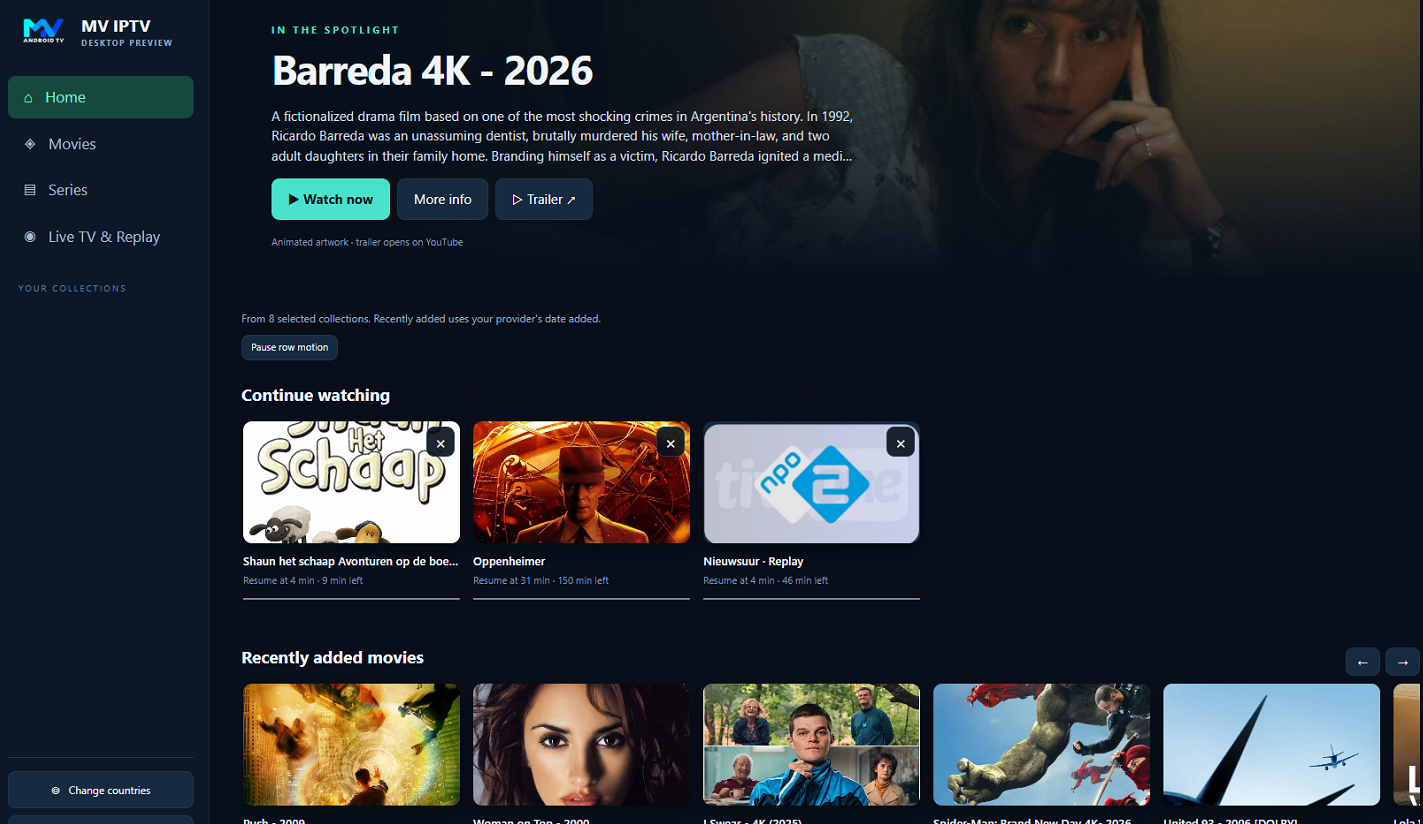
On your phone
+On your Android TV
+At your desk
Availability varies by platformLESS SEARCHING. MORE WATCHING.
Your provider's library, with room to breathe. Switch between live channels, your guide and your collection.
Find recently added titles and return to something you started, all from your home screen.
REAL APP / DESKTOP PREVIEWBrowse the programme guide and open earlier programmes when your provider offers replay for that channel.
Choose country groups, keep favourites close and search your collection for what you want to watch.
Use Google Cast on Android phones with a compatible receiver. Stream compatibility depends on your provider and device.
DON'T JUST READ ABOUT IT.
Browse, search, open the guide and play a public sample. It is the app interface, with no sign-in or provider details needed.
Sample library and illustrative programme listings. All playback uses the public Big Buck Bunny film. No TV channels or subscriptions are supplied. Cast device connections are available in the Android app.
YOUR PROVIDER. YOUR CHOICE.
MV IPTV is the player. Your own IPTV provider supplies the channels, movies and series.
Install MV IPTV from Google Play on a supported Android device, or from Microsoft Store on Windows.
Choose Xtream Codes and enter the server, username and password your provider gave you. Or use an M3U playlist URL.
Choose your country groups, find a channel or title and start watching. Features and content depend on your provider.
Open Home, browse Movies and Series, choose countries and try TV Guide & Replay. This demonstration uses the app's own interface with clearly labelled sample content.
Open the interactive demo ↗No provider credentials needed. The programme schedule is illustrative. Playback uses a public Blender sample, not a TV subscription.
THE LITTLE THINGS ADD UP
Minimise the player to browse your collection, continue something you started, or open the next episode. Watching should feel effortless.
*Available tracks and playback features depend on the stream, device and platform.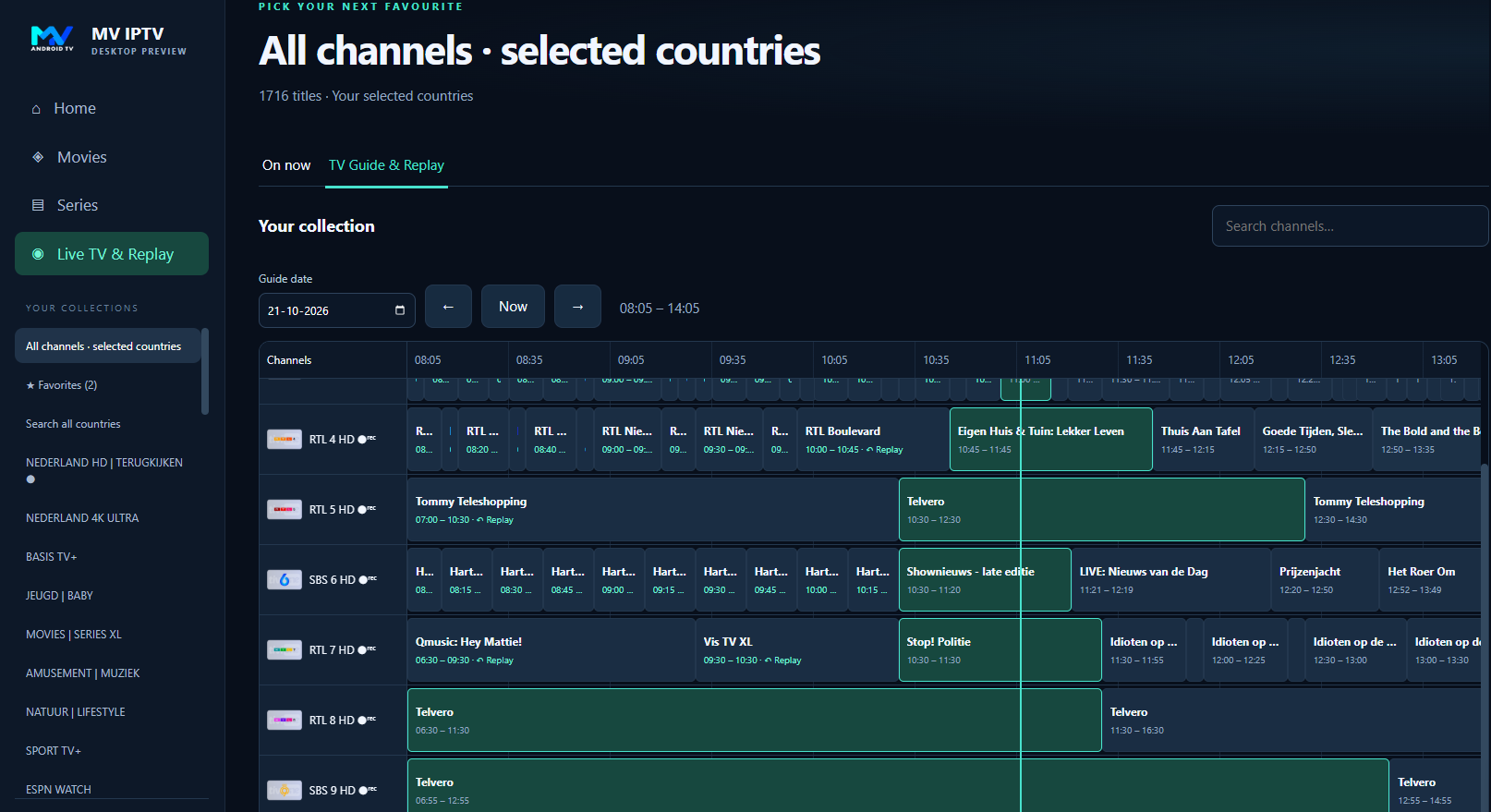
Replay requires catch-up support from your provider for the chosen channel and programme. It is not a recording service.
LET'S GET YOU WATCHING
Download MV IPTV from the official store for your device. The store shows the version currently available in your region.
Your collection in your pocket, with touch controls and Google Cast for compatible receivers.
Get it on Google Play ↗Check Google Play for device compatibility and current availability.Browse with your remote on supported Android TV devices, including NVIDIA Shield.
View in Google Play ↗Open the listing with the Google account used on your TV. Google Play shows eligible devices.Watch on your Windows PC with fullscreen playback, a compact player, programme guide and audio and subtitle controls.
Get it from Microsoft Store ↗Official Windows Store edition. Store updates become available after approval.The Android Play edition offers two months from activation; the Windows Store edition offers two calendar months from acquisition. Afterwards, continue with an optional one-time purchase at the price shown in the app or store. Your provider subscription is separate.
No. MV IPTV is a player for content supplied through your own provider or playlist. We do not sell TV channels, movies, series or IPTV subscriptions. You need permission to access the content you add.
Yes, when your provider offers replay (catch-up) for that specific channel and programme. Open TV Guide & Replay, select an earlier programme and use the replay option when available. M3U-only sources may not provide the same guide or replay information.
Open Google Play on your Android TV or Shield and look for MV IPTV. You can also open the Google Play link above with the same Google account used on your TV. Google Play lists supported devices; available versions and rollout timing can differ between phones and TVs.
The Android phone edition supports Google Cast receivers. The receiver and phone need network access to each other, and the receiver must be able to reach and decode the stream. This is not universal screen mirroring, AirPlay or DLNA. A Samsung or LG television needs a compatible Cast receiver to use this feature.
The Android TV build is for Android TV devices. Native Samsung Tizen and LG webOS editions are not publicly available through this site. A compatible external Android TV device is a separate option.
Availability depends on your device, Google account, country and the current store rollout. Updates may remain under review while an earlier approved version is available. If you have trouble, contact us with your device model and the message you see, without sending passwords.
MAKE TONIGHT A GOOD WATCH.